


Sun Bear - Mastering Grade bus compressor
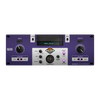
★★★★★🐻 Sun Bear Mastering Compressor Sun Bear is a high-precision mastering bus compressor designed to add glue, warmth, and dynamic control to your mix. Whether you're looking for transparent...


See Sun Bear - Mastering Grade bus compressor In Action
Demo 1
Demo 2
Demo 3
About Sun Bear - Mastering Grade bus compressor
🐻 Sun Bear Mastering Compressor
Sun Bear is a high-precision mastering bus compressor designed to add glue, warmth, and dynamic control to your mix. Whether you're looking for transparent compression or colorful saturation, Sun Bear delivers the depth and cohesion your mix deserves.
Precision Mastering & Dynamic Control
Designed for professional mastering and mix engineers, Sun Bear offers a balance of surgical precision and musicality. Whether you're shaping dynamics on a full mix or adding punch to a bus, this compressor provides the tools you need.
Dual Saturation Modes
Sun Bear gives you two distinct saturation options:
- Tape Mode - Adds smooth harmonic warmth and soft compression.
- Tube Mode - Delivers rich harmonic excitement with dynamic responsiveness.
Why Choose Sun Bear?
With powerful features like Mid/Side processing, a sidechain filter, and Gravity Mode for extra depth, Sun Bear is designed to take your mixes to the next level.
Key Features
- High-Precision Compression - Smooth, transparent, and musical bus compression.
- Dual Saturation Modes - Choose between Tape and Tube for added harmonic character.
- MS Matrix Processing - Independent Mid/Side compression control.
- Sidechain Filter - Shape compression with frequency-conscious control.
- Gravity Mode - Enhances glue and harmonic richness.
- Clipper
- Auto Gain & Wild Mode - Smart dynamics control for modern mixes.
Plugin Requirements
- MacOS: VST3, AU, AAX | Windows 64-bit: VST3, AAX
- Processor: 1 GHz Intel Dual Core or AMD equivalent
- RAM: 4GB minimum (8GB recommended)
- OS: Mac OS X 10.15+ / Windows 8 & Above
How to Activate Sun Bear - Mastering Grade bus compressor
Pay securely via card or PayPal. Instant order confirmation sent to your email.
Your serial number arrives within minutes. Also in your Safari Audio account anytime.
Open Sun Bear - Mastering Grade bus compressor in your DAW and enter the serial when prompted. Licensed forever — no internet required.
Need help? Email bar@safariaudio.com — we reply fast.
Verified Reviews
Get Sun Bear - Mastering Grade bus compressor — Instant Download
Perpetual license · Free updates forever · Yours to keep
Mac OS X 10.15+ (Apple Silicon / Intel) · VST3 / AU / AAX · Windows 8+ 64-bit · VST3 / AAX